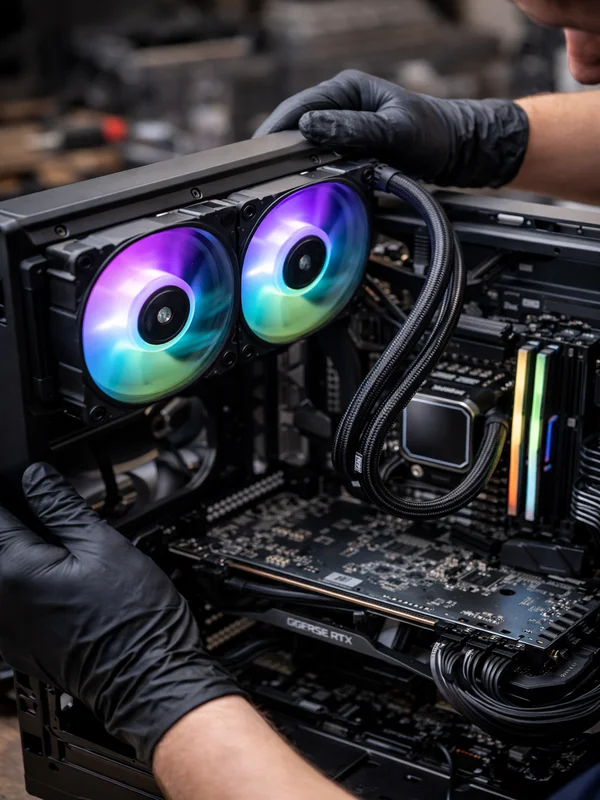
Gaming PC Performance Optimization Service
FPS Optimization, Thermal Tuning & Gaming PC Performance Service in North JerseyIf your gaming PC is underperforming, stuttering, overheating during games, or not delivering the frame rates it should, ElitePC NJ can help. Our gaming PC performance optimization service focuses on real-world improvements like thermal tuning, driver cleanup, startup and background process reduction, storage and memory checks, and hardware bottleneck analysis so your system runs smoother, cooler, and more consistently.
Gaming PC Performance Optimization in North Jersey
Optimize Your Gaming PC the Right Way
Real performance tuning for gaming desktops, custom builds, and enthusiast PCs
Gaming PCs can lose performance for many reasons including dust buildup, poor airflow, thermal throttling, outdated drivers, unnecessary startup programs, bad game settings, storage slowdowns, and mismatched hardware. At ElitePC NJ, we diagnose the real bottlenecks and make practical improvements that help your system run smoother in actual gameplay, not just on paper.

Complete Gaming PC Optimization Service
Well-rounded tuning for performance, cooling, and overall system responsiveness
Our gaming PC optimization service can include thermal checks, internal cleaning, airflow improvements, driver review, Windows performance tuning, background process cleanup, storage health checks, RAM and CPU bottleneck evaluation, and safe optimization of fan behavior and system settings. We also identify when an upgrade would provide more benefit than software tuning alone, with recommendations for SSD upgrades, RAM upgrades, graphics card upgrades, or CPU upgrades.
Why Professional Gaming PC Optimization Matters
Find the Real Bottleneck
Low FPS and poor responsiveness can come from thermals, drivers, startup bloat, storage issues, memory limitations, or a weak hardware pairing. Proper diagnosis prevents wasted money and random guesswork.
Smoother Gameplay
Optimization is about more than raw frame rates. Better system balance can improve frame-time consistency, reduce stutter, and make games feel more responsive.
Lower Temperatures & Less Throttling
Gaming hardware often performs worse when cooling is compromised. Thermal tuning and cleaning can help the CPU and GPU maintain boost behavior more consistently.
Stronger Everyday Responsiveness
Reducing unnecessary background load, tuning startup behavior, and correcting configuration issues can improve boot time, app responsiveness, and overall feel.
Smarter Upgrade Decisions
Sometimes optimization alone is enough. Other times the biggest gain comes from the right hardware upgrade. We help you determine what actually makes sense for your system.

What Our Gaming PC Optimization Service Includes
Thermal & Airflow Evaluation
We inspect cooling performance, internal dust levels, case airflow, fan behavior, and temperature trends to identify whether heat is limiting your gaming performance.
Windows & Background Process Optimization
We reduce unnecessary startup items, background services, and software clutter that can waste CPU, RAM, and storage performance while gaming.
Driver, BIOS & Performance Review
Outdated or problematic drivers and poor system configuration can hurt stability and performance. We review key settings that affect gaming responsiveness and reliability.
Game Performance & Bottleneck Analysis
We evaluate whether your CPU, GPU, RAM, storage, or cooling is holding the system back so you know what is actually limiting your results.
Upgrade Path Recommendations
If optimization alone will not deliver the gains you want, we can recommend meaningful upgrades such as SSD storage, memory upgrades, GPU upgrades, or CPU upgrades.

Common Gaming PC Performance Problems We Solve:
Low FPS & Poor Frame Consistency
If your games feel choppy, inconsistent, or just slower than they should, we help identify thermal, software, or hardware limitations affecting performance.
Thermal Throttling During Games
When CPU or GPU temperatures climb too high, the system can cut performance to protect itself. We address the cooling and airflow issues behind that slowdown.
Slow Boot Times & Background Bloat
Many gaming PCs gradually get weighed down by launchers, utilities, overlays, and unnecessary startup items. We clean up the software side so the system feels sharper.
Poor Hardware Balance
Sometimes the issue is not one bad part but an imbalanced system. We help determine whether the CPU, GPU, RAM, or storage is mismatched for the games you play.
Optimization Before Upgrading
Before you spend money on new parts, we can evaluate whether cleaning, tuning, thermal service, or configuration work can improve what you already have.
Why Choose ElitePC for Gaming PC Performance Optimization?
Gaming Hardware Experience
ElitePC NJ works on real gaming systems, upgrades, repairs, and thermal issues every day, so your optimization service is based on practical PC hardware experience.
Optimization With Practical Results
We focus on real improvements that make sense for your hardware and your budget, whether that means cleanup and tuning, thermal service, or a targeted upgrade.
Local Gaming PC Service You Can Count On
ElitePC NJ provides local gaming PC optimization and gaming PC repair in Garfield and nearby North Jersey towns with clear communication and service tailored to your needs.
Gaming PC Optimization FAQ
What does gaming PC optimization include?
Gaming PC optimization can include thermal checks, internal cleaning, background process cleanup, startup reduction, driver review, storage and memory evaluation, and bottleneck analysis. The exact work depends on what is holding your system back. At ElitePC NJ, the goal is practical improvement in real gameplay, not just changing random settings.
Can gaming PC optimization increase FPS?
Yes, in many cases optimization can improve FPS, but the amount depends on the system. If performance is being held back by thermals, software bloat, poor settings, or bad system balance, optimization can help noticeably. If the true limit is older hardware, we can explain which upgrade would make the biggest difference.
Is this only for high-end gaming PCs?
No. This service is useful for entry-level, mid-range, and enthusiast gaming systems. Whether you want smoother esports performance, better overall responsiveness, or help figuring out why your PC feels underwhelming, optimization can still be worthwhile.
How do I know if my gaming PC is throttling?
Common signs include sudden FPS drops, loud fans, high temperatures, stuttering during demanding games, and performance that gets worse the longer you play. Thermal throttling is especially common in dusty systems or builds with poor airflow. That is why we check cooling as part of performance optimization.
Should I optimize my gaming PC before upgrading it?
Usually yes. Optimization helps you understand whether your current hardware still has untapped potential. In many cases, a cleaning, thermal service, and system tune-up can delay the need for upgrades. If an upgrade really is the better move, we can recommend the right one instead of guessing.
Schedule Gaming PC Performance Optimization
If your gaming PC is not performing the way it should, we can inspect the system, identify the real bottlenecks, and recommend the right mix of optimization, thermal work, or upgrades. This service pairs especially well with our overheating PC repair service and general computer repair service.
Reliable Gaming PC Optimization by ElitePC NJ
From cleanup and tuning to thermal diagnostics and smarter upgrade guidance, ElitePC NJ provides professional gaming PC optimization to help your system feel smoother, cooler, and more responsive during real-world gameplay.